
How to Build an Amazon Affiliate Store or Website (Create and Set It Up Step by Step)
Amazon gives every new Associates account 180 days to refer three qualifying sales. Miss that and Amazon closes the account. That deadline ends more attempts than any technical problem does, and most guides to building an Amazon affiliate store or website leave it out.
The order below is the order to work in: choose a niche, get a site live, apply to Associates, get Amazon product data flowing (which changed completely in May 2026), fill the store, write the content, and find those three sales before the clock runs out. FreshStore is our affiliate store builder and removes some of these steps. Where it does, I say which step and how. Everything else works with any tool, or none.
What an Amazon affiliate store or website is
An Amazon affiliate store, also called an Amazon affiliate website, is a site you own that lists Amazon products, with your Associates tracking ID on every link. A visitor browses your categories, clicks through to Amazon, buys, and you earn commission on that order. An Amazon Storefront is a different thing: Amazon hosts it under the Influencer Program, on Amazon’s domain, and owns the layout, the traffic and the rankings.
Two consequences shape everything below. You are running a content site that happens to sell, so bare product listings will not rank alone. And the money per click is small: most physical goods pay low single digits (roughly 1% to 4.5% at the time of writing) and the cookie lasts 24 hours. Qualified traffic at volume is what makes the numbers work, which is why the content steps cost more time than the build steps.
Step 1: Pick a niche narrow enough to rank
“Kitchen gadgets” is a department, and you would be competing with sites holding a decade of links. “Espresso accessories for small kitchens” is a niche you can cover completely, and completeness is what wins in affiliate search. Four things to check:
- Price band. Roughly 30 to 300 in your currency. Below that, the commission is not worth the click. Far above it, buyers research for weeks and your 24-hour cookie expires long before they decide.
- Commission rate. Check Amazon’s fee schedule first. Grocery and health sit at the bottom, and a 1% category needs several times the traffic for the same money.
- Enough products. You want 8 to 12 categories with 15 or more products each. If you cannot find 150 worth listing, the niche is too tight.
- Enough to say. You will write 30 or more articles about this. Pick something you can stand.
Niche research produces nothing visible, so it is the step people skip, and it decides more about the outcome than anything else here.
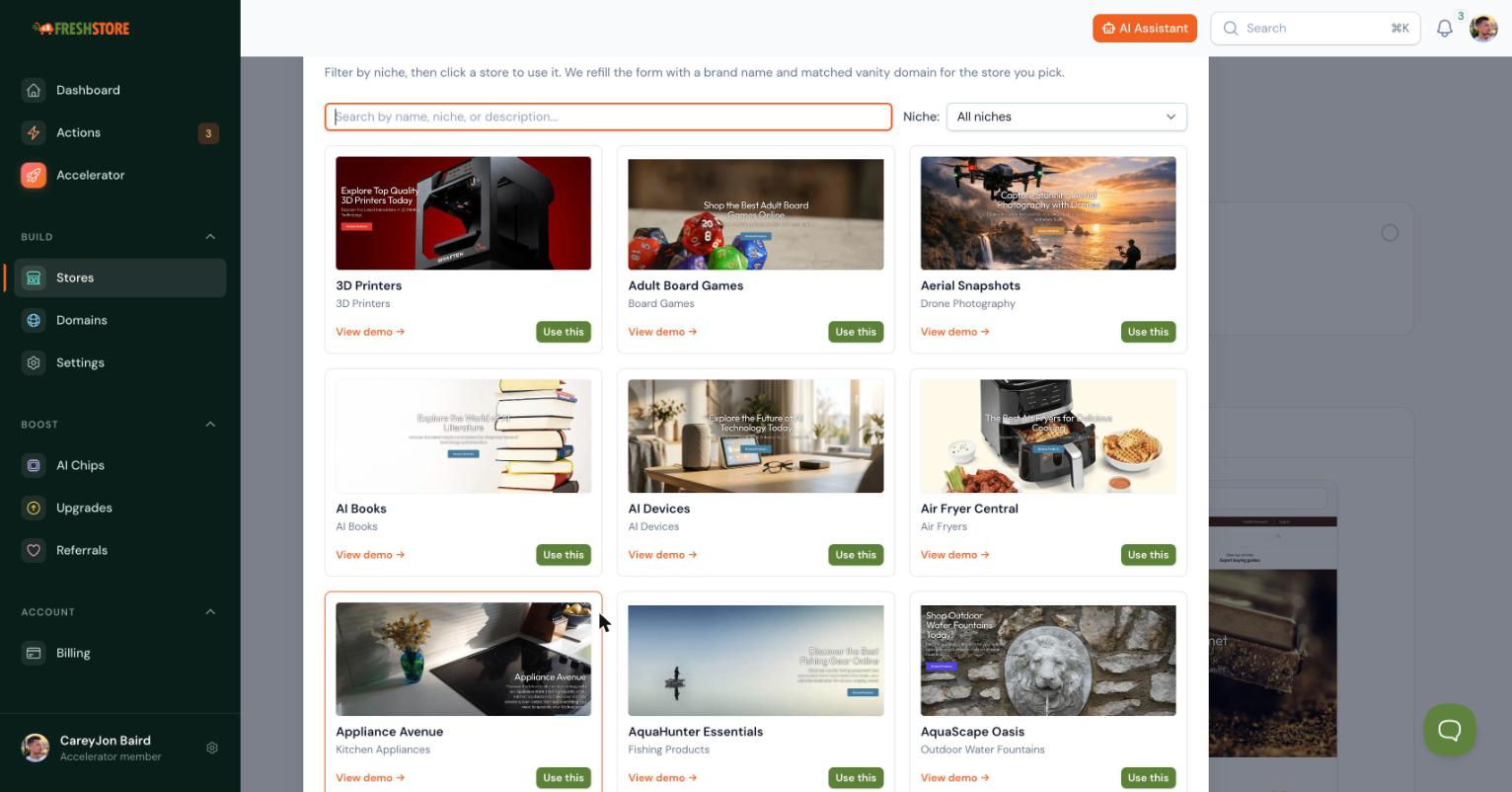
Where FreshStore removes work: the Instant Stores library holds pre-researched niches with the category structure already mapped, and the AI store name and domain tool proposes a name and an available domain from a niche you type in. That removes the blank page, not the judgement.
Step 2: Build the store or site before you apply to Associates
Most guides put the Associates application first. Do it second. Amazon reviews your site when you apply, and an application pointing at a parked domain or three placeholder posts gets rejected. And the 180-day clock starts the day you submit, so every day you then spend picking a theme is a day off a deadline you must hit with real sales.
Build first: a live site at a real address with categories, products and a first batch of articles. Apply once it looks like a shop someone would buy from.
You cannot put your tracking ID on links before you have one, so build and publish everything anyway and swap the ID in on approval day. Any store platform worth using applies it globally, so that is one field, not a thousand edits.
Where FreshStore removes work: hosting on Google Cloud with a CDN and a free Starter Domain are included, so the store is live at a real address within an hour, before you have paid for a domain or a host. It also solves the product-data half of the problem, which is Step 5.

Step 3: Join Amazon Associates
The application takes about 15 minutes.
- Go to the Associates portal for your country: affiliate-program.amazon.com for the US, affiliate-program.amazon.co.uk for the UK, and so on. Sign in with an Amazon account.
- Enter your account and payee details.
- List your websites and apps. Give your store URL exactly as it resolves, plus any social profiles or YouTube channels you will post links on. Amazon checks these.
- Choose your preferred store ID. This becomes your tracking ID, the tag on the end of every affiliate link, and in the US it looks like
yourname-20. You will find it later in the top right of Associates Central. - Describe how you drive traffic and roughly how many visitors you get. Low traffic on a new site is not a rejection reason.
- Verify by phone.
Preliminary approval arrives within minutes and you can put links up straight away. Full approval comes later and depends entirely on Step 4.
Each country is a separate registration with its own tracking ID, made from the same Amazon login by picking the country in the top right of Associates Central. Approval on amazon.com does nothing for amazon.co.uk, so register for each country you want to earn from. Which countries a store can pull products from is a different question, answered in which Amazon countries work in an affiliate store.

Step 4: Three qualifying sales in 180 days
From the day you submit the application, you have 180 days to refer three qualifying sales. Amazon means three separate orders from three genuine customers, not three items in one basket. Your own purchases do not count, and Amazon spots friends-and-family orders. Miss the deadline and your account closes. You can reapply, and the clock restarts at zero.
A second rule, added in April 2026, is often confused with it: a click now only earns commission if the customer pays for and receives the product within 180 days of that click, which can exclude pre-orders and later Subscribe and Save shipments. The two rules share a number and nothing else.
Three sales in six months from a brand new site is the hardest thing in this guide. A new domain rarely ranks inside six months, so search will usually not get you there. Plan those sales before you apply:
- Sell to an audience you already have, however small: a newsletter, a group you run, a following anywhere.
- Post in a community you belonged to before you had something to sell, and read its rules first, because most forums and subreddits ban affiliate links.
- Make a few genuinely useful YouTube or Pinterest posts and link from the description.
- Spend a small paid budget, knowing that at low single-digit commission you will probably lose money on cold clicks. That buys the deadline, it does not build a channel.
With none of those, spend the first month building an audience and apply in month two. Our guide to the Operating Agreement covers the rules that close accounts after approval.
Step 5: Set up Amazon product data in the store
This step changed completely in 2026, and it is where older tutorials will send you wrong.
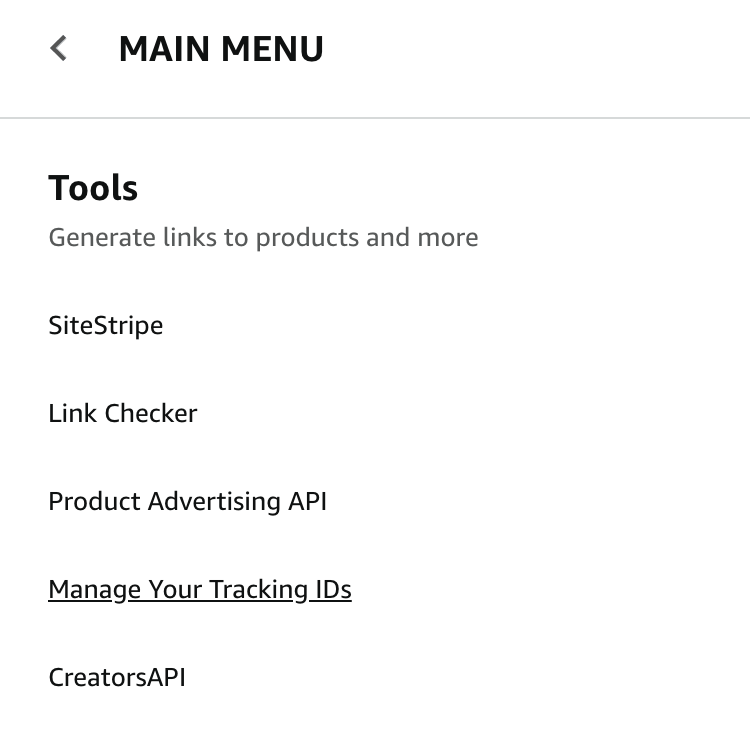
Amazon switched off the Product Advertising API (PA-API v5) on 15 May 2026 and replaced it with the Amazon Creators API. Any guide telling you to generate an AWS Access Key and Secret Key for PA-API is out of date: the endpoint no longer answers and those keys do not carry over. Creators API credentials are an OAuth Client ID and Client Secret, issued in Associates Central under Tools, then CreatorsAPI. The migration and dates are in Amazon PA-API Retired: The Creators API Migration Explained.
Then comes the catch that stops beginners cold. Amazon only issues Creators API credentials to accounts with at least 10 qualified sales in the trailing 30 days, counted separately per marketplace on a rolling window. A new account has zero sales, cannot get credentials, and there is no workaround. Read that against Step 4 and the trap is plain: you need product data to build the store that earns the sales that qualify you for the product data.
That leaves two routes:
- Add products by hand. Free, slow, and legally awkward. The Operating Agreement governs how you may display Amazon images, prices and descriptions, and hand-copying or scraping them falls outside what it permits in most cases.
- Use a platform that connects to Amazon for you, so your store shows live products and the threshold never applies to you.
Where FreshStore removes work: option 2 is the mechanism. FreshStore connects to Amazon for every store out of the box, so a store created this morning with zero sales pulls live titles, prices, images and availability from day one. Adding your own Amazon credentials later is optional. Our guide to Amazon Creators API eligibility and credentials covers that decision.
Step 6: Fill the store with products
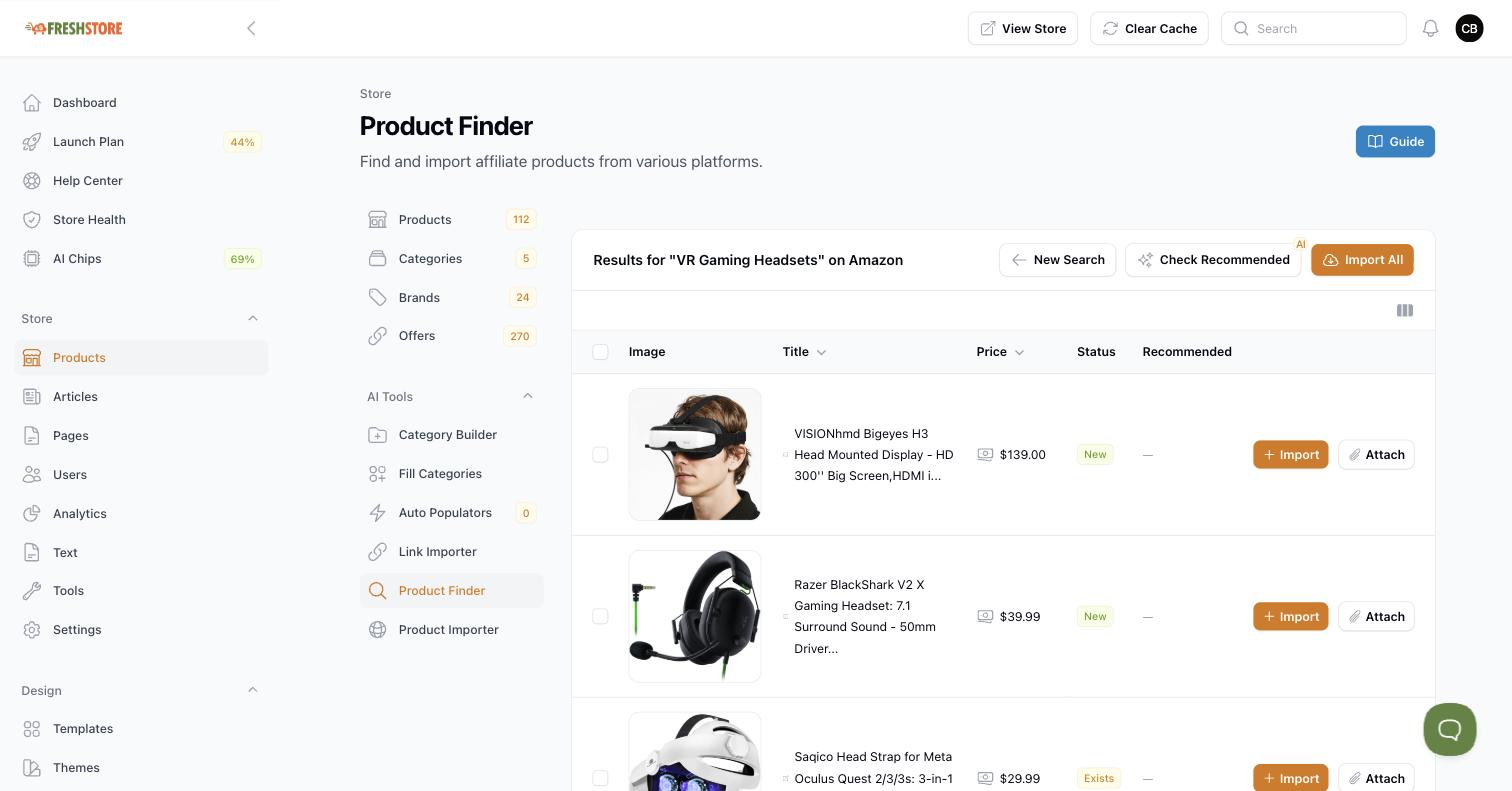
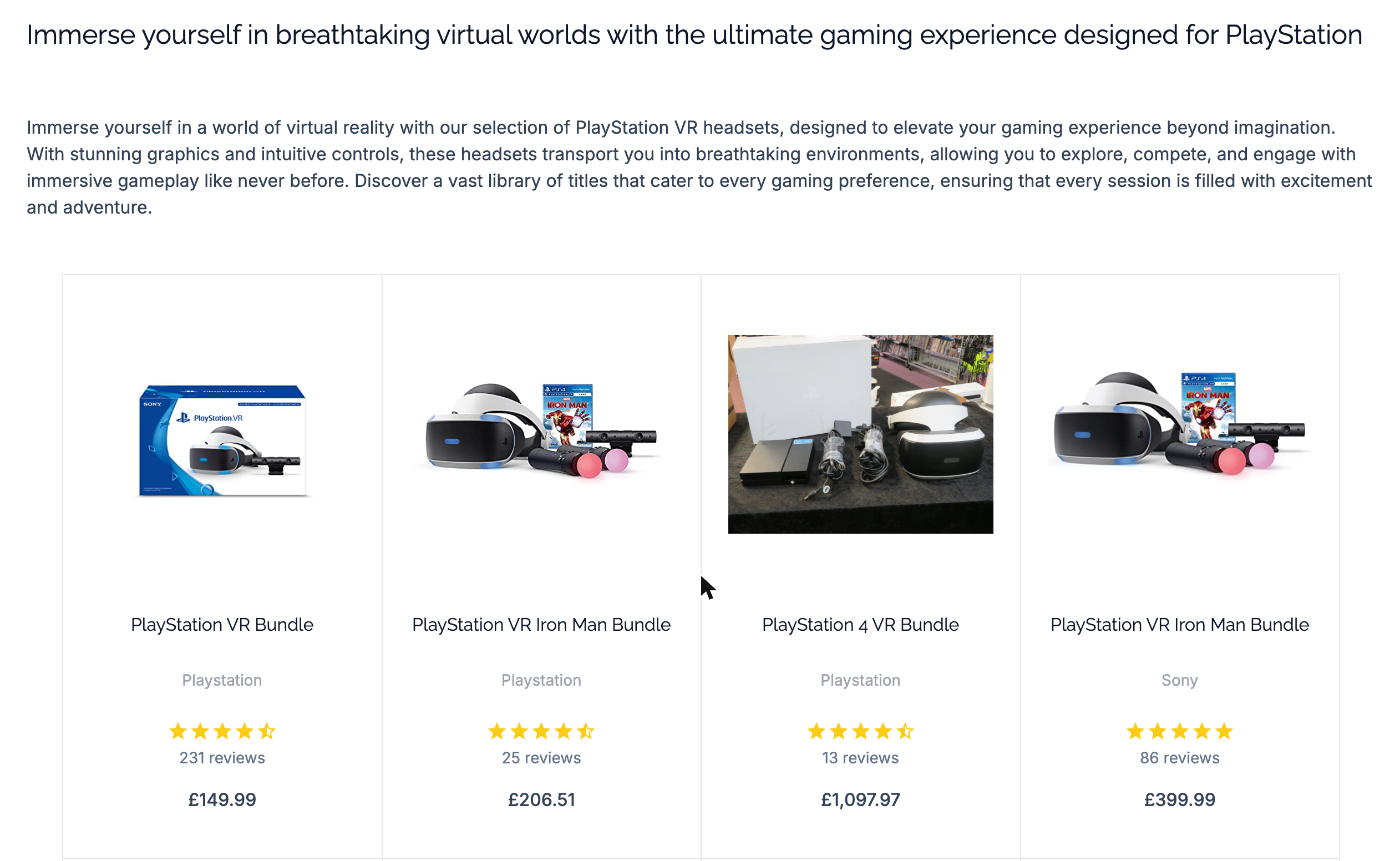
Build the structure first: 8 to 12 categories, then 15 to 40 products in each. Categories are what visitors browse and what search engines read as your topic map, so name them the way people search rather than the way Amazon files them. For each one, search by keyword or paste ASINs directly.
Two hard parts.
More products is worse. A store with 2,000 imported products and nothing written about them is what Google means by a thin affiliate site, and it is the commonest reason these stores never rank. Two hundred products with real pages beats two thousand stubs. The reasoning is in Does Google hate affiliate sites?, the practical version in the best way to populate your affiliate store.
Product data goes stale fast. Prices move, stock runs out, ASINs get retired. A visitor who lands on Amazon and finds a different price will not buy, and showing stale prices breaches the Operating Agreement. Whatever you build has to refresh product data automatically. For hand-built stores, this is the maintenance that kills the project.
Step 7: Write the content that does the ranking
Product pages rarely rank alone, because Amazon’s own listing outranks your copy of it. The pages that earn affiliate traffic are the ones Amazon does not have:
- Best X for Y comparisons, which carry most of the buying intent
- Single product reviews, especially with anything first-hand you can add
- X versus Y head-to-heads
- Problem-first how-to articles that arrive at a recommendation
Aim for 30 pieces before judging whether the store works.
This is the work, and drafting was never the bottleneck. AI can write all of it. Deciding what to write, checking the product genuinely solves the problem, and adding something the manufacturer’s copy does not say are what decide whether a page ranks. Google’s guidance is about helpfulness and first-hand experience and says nothing about who typed the words, which we covered in does Google penalise AI-generated content in stores?.
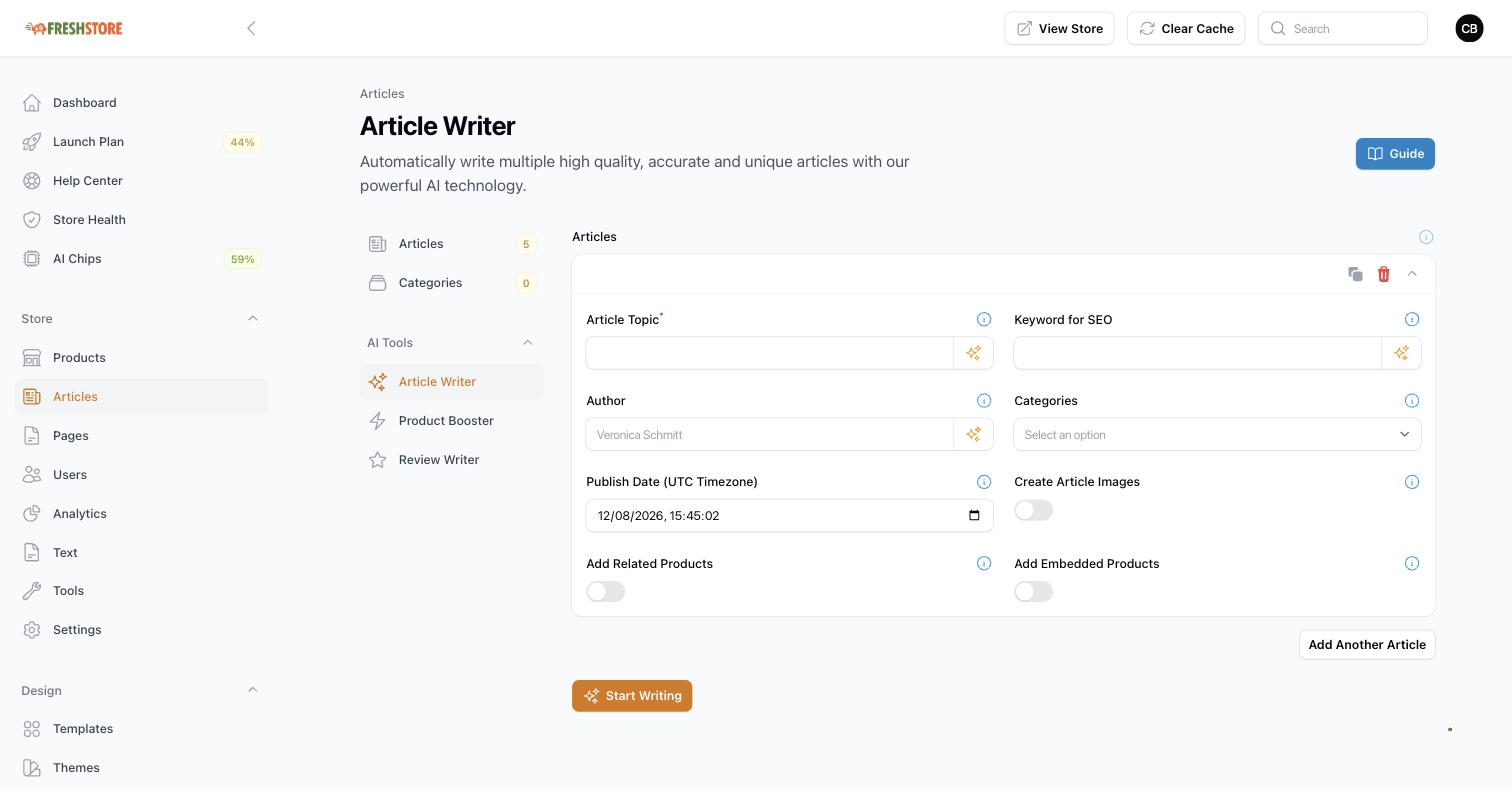
Where FreshStore removes work: the AI writes category pages, product descriptions, articles, brand pages and meta tags, and Create-All-Content generates them in bulk across a whole category. That turns 30 hours of drafting into an afternoon. It does not do your editing, and a store where nobody read the output reads exactly like one.
Step 8: Set up the design and the pages Amazon looks for
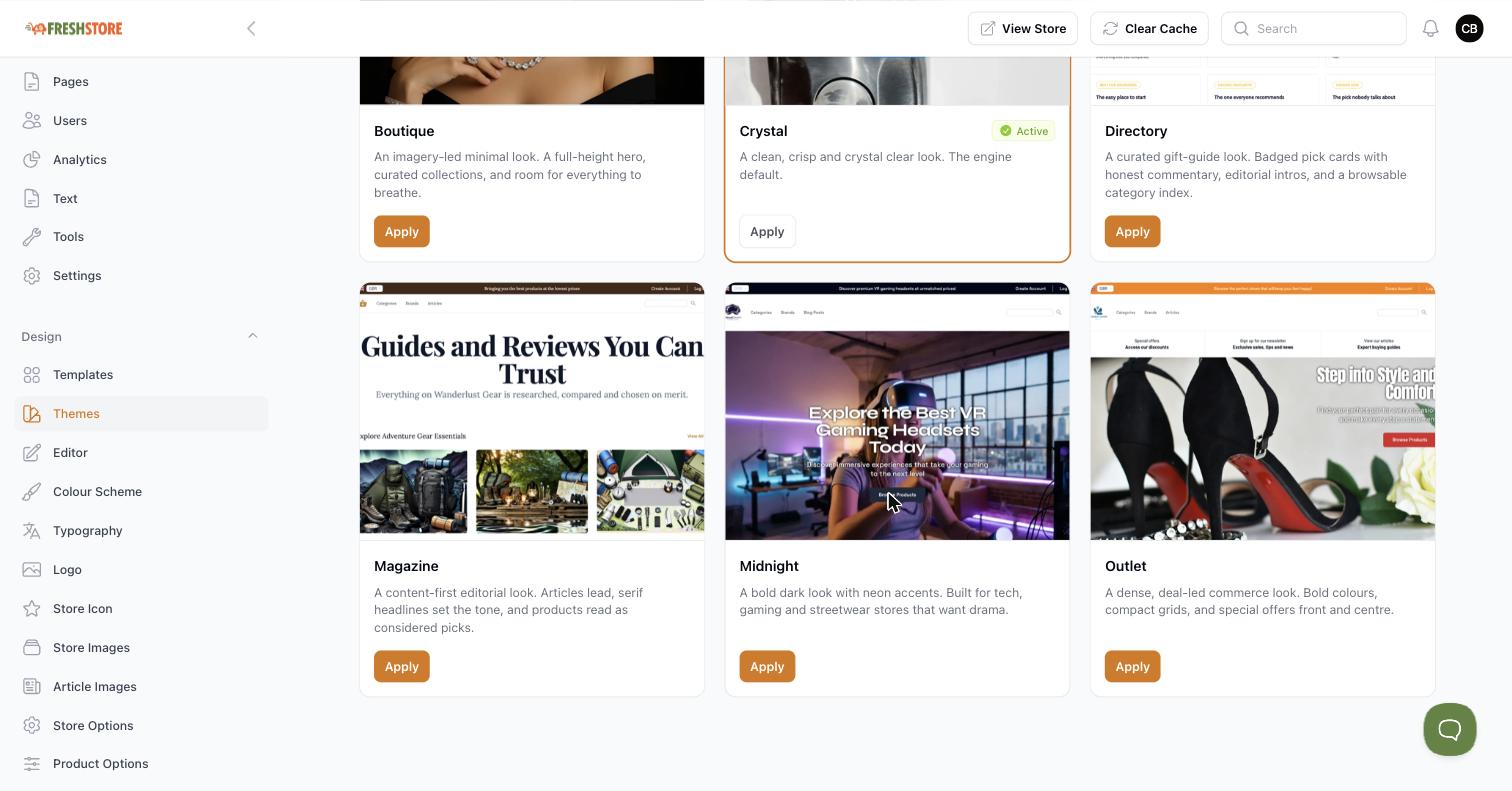
It has to look like a shop: categories in the navigation, product grids with images and prices, a working search box, and a mobile layout that holds together. Visitors decide whether to trust a store in about two seconds, and a blog theme with product links pasted in loses that decision.
Amazon also expects a set of pages, and their absence is a common rejection reason: About with a real person or business behind it, Contact with a working form or address, Privacy Policy, and Affiliate Disclosure.
The disclosure is required, and a line on your About page does not cover it. The Operating Agreement requires “As an Amazon Associate I earn from qualifying purchases” on any page carrying Amazon links, so put it in the site-wide footer and near the links. Accounts get closed over this.

Step 9: Get traffic before the clock runs out
Search is the long game and it will not save your probation, because ranking a new domain usually takes longer than 180 days. Run two tracks.
For the deadline. Pinterest indexes fast and suits visual niches. YouTube reviews convert well because the viewer has already seen the product. A niche community you genuinely belong to can produce a sale in a week, if you follow its rules on links. Your own list beats all of them.
For the long game. Publish steadily, get pages indexed, earn links by being worth linking to, and expect meaningful search traffic between month six and month twelve.
Where FreshStore removes work: connect Google and Bing once, and FreshStore adds your site to both and keeps its sitemap current. On sites built since July 2026 with Search Console connected, half had a page indexed within 5 days, and half of those had their first search click within 12 days (our own measure, last run 13 Nov 2026). A first click is a start, not an income, but it tells you early which niche is being found. The setup is in how to get your site onto Google and Bing.
Check your links actually carry your tracking ID as you go, because a broken tag means the sale happens and you earn nothing, and our free affiliate link checker tells you in seconds. Once Amazon is running, a second merchant spreads the risk, which our AliExpress programme guide covers.
What it costs
Amazon Associates is free to join. A domain runs 10 to 15 a year, hosting fast enough for a store runs 5 to 30 a month, and a WordPress build with the plugins to do the job lands anywhere from free to a few hundred a year. FreshStore includes hosting, a free Starter Domain, CDN and the Amazon integration on every plan. The free trial runs on the Starter plan, which has three stores. Pick three niches, build all three and keep the one the numbers favor. The current prices are on the pricing page.
Time is the bigger cost. The store can be live in an afternoon, but reaching three qualifying sales usually takes close to the full 180 days, and reaching income you would notice takes a year of publishing. Anyone quoting a faster number is selling something. If you have started one of these before and it is still unfinished, the tooling is usually not the reason, which we wrote about in why your affiliate store still is not live.
Frequently asked questions
How do I create an Amazon affiliate account?
Apply at the Associates portal for your country, list your live website, choose a tracking ID and verify by phone. Preliminary approval arrives within minutes; full approval depends on three qualifying sales in 180 days.
Do I need my own Amazon API credentials to build a store?
Not if your platform provides the integration. Amazon only issues Creators API credentials to accounts with 10 or more qualified sales in the trailing 30 days on that marketplace, so a new account cannot get its own. FreshStore stores pull live Amazon data without them from day one.
How do I set up an Amazon affiliate store without coding?
Use a store builder that hosts the site, pulls Amazon product data and puts your tracking ID on every link. You still choose the niche, write the content and find the first three sales. The FreshStore Amazon affiliate store and website builder covers Steps 2, 5, 6 and 8 above.
How many products should an Amazon affiliate store have?
Roughly 150 to 400, as 8 to 12 categories with 15 to 40 products each. Depth of content per product matters far more than the total.
Is an Amazon affiliate website the same as an Amazon affiliate store?
Yes. Both names describe a site you own that links to Amazon products with your tracking ID. “Store” puts the weight on product grids and categories, “website” on the articles around them, and a site that earns needs both. More on the model in what is an affiliate website, and real ones in our affiliate website examples.
Can I build an Amazon affiliate store without a website?
You can build an Amazon Storefront under the Influencer Program, hosted by Amazon, but you will not own the traffic or the rankings. A store you control needs your own site.
Spend real time on the niche in Step 1. It is the only choice here you cannot revise later by editing a page, so settle it before you sign up for anything. To see a narrow niche built out end to end, we walked through one in how to build an Amazon book affiliate store.