
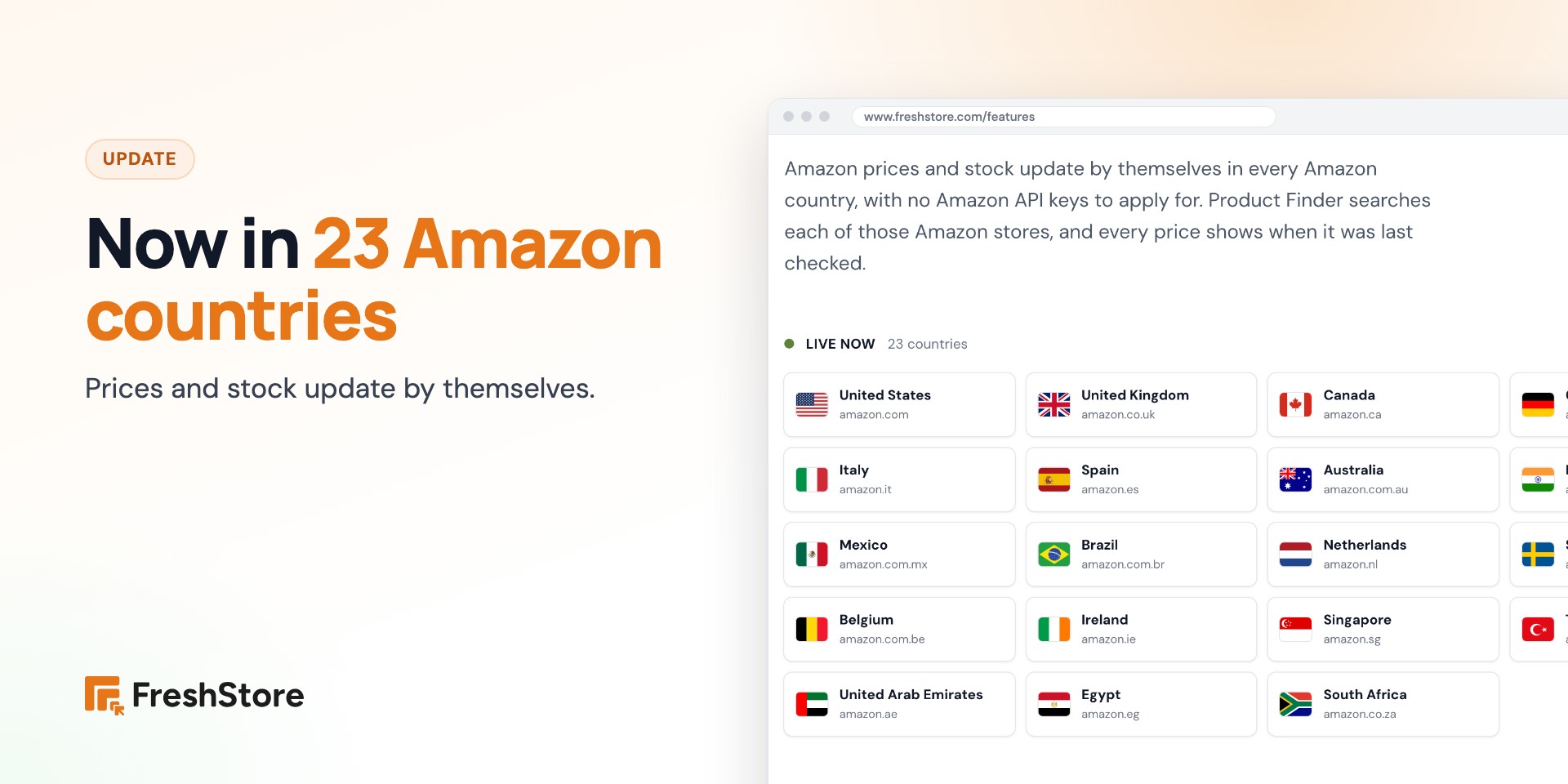
FreshStore Now Works With 23 Amazon Countries
Plenty of you build stores for shoppers outside the US and the UK. Until now, some of those Amazon countries showed products with no price or stuck on out of stock, and the Product Finder could not search them.
FreshStore now works fully with 23 Amazon countries.
TL;DR
- 23 Amazon countries are live, from Germany and Japan to Brazil and South Africa.
- Prices and stock refresh on their own in every one of them.
- The Product Finder searches each of those Amazon stores, in the local currency.
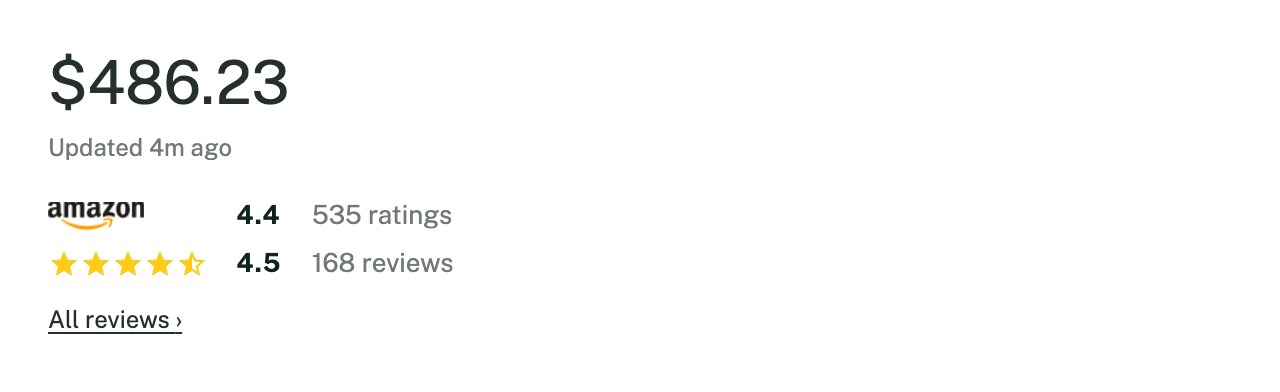
- Every price shows when it was last checked.
The 23 countries
United States, United Kingdom, Canada, Germany, France, Italy, Spain, Australia, India, Japan, Mexico, Brazil, the Netherlands, Sweden, Poland, Belgium, Ireland, Singapore, Turkey, Saudi Arabia, the United Arab Emirates, Egypt and South Africa.
Prices and stock that keep up
Products from every live country now show their real Amazon price and stock, and they refresh by themselves. If some of your products were showing no price or out of stock, they will catch up as they refresh. You do not need to do anything.
Each price also shows when it was last checked, so your visitors know how fresh it is. If you would rather not show prices at all, you can switch them off for your store.
Find products in any country
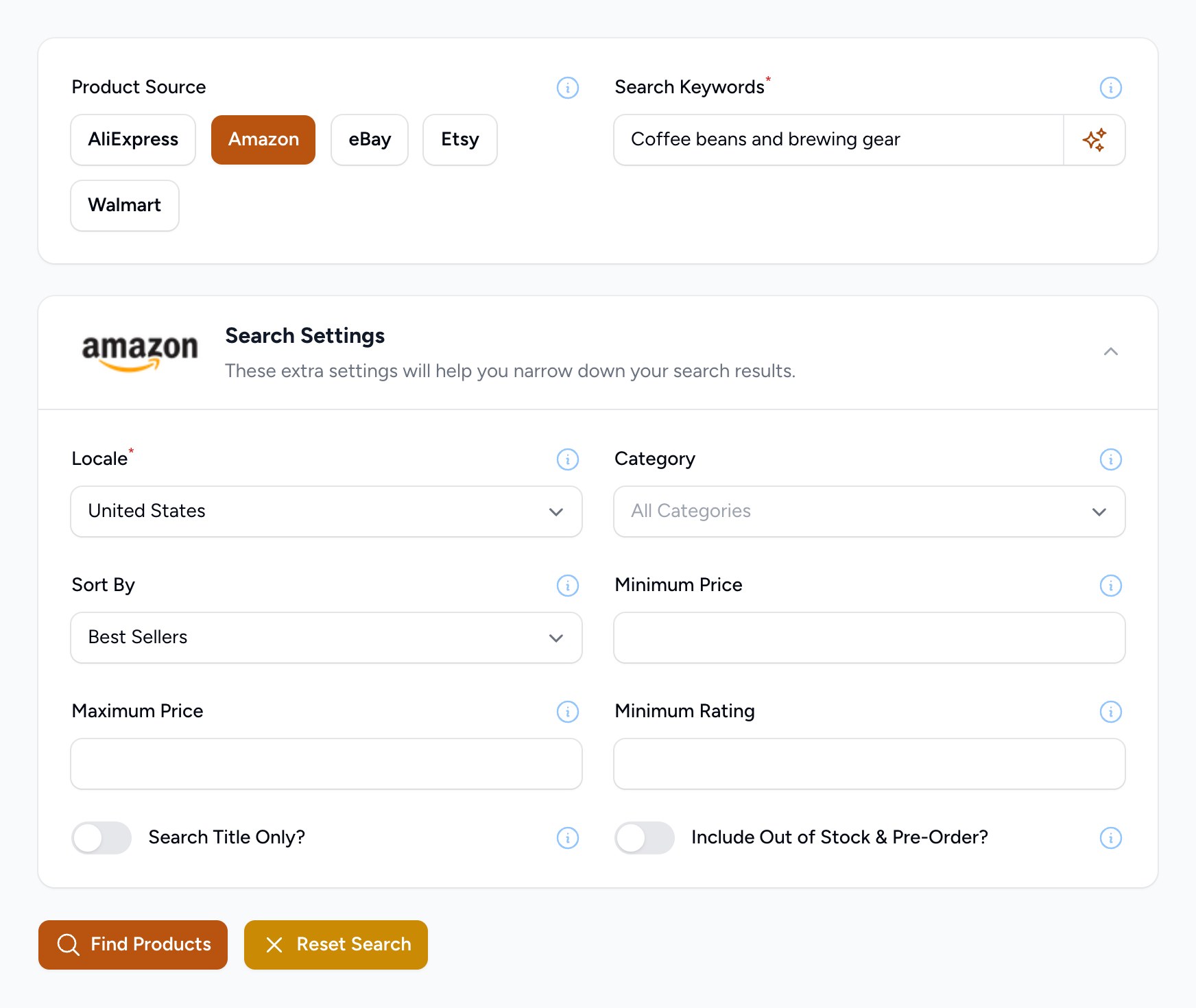
Open Products > Add Products > Product Finder, open Search Settings and pick the country under Locale. You get the same search you know, with prices in the local currency, so euros in Germany, yen in Japan and reais in Brazil. Add what you like straight to your store.
Earn from the countries you choose
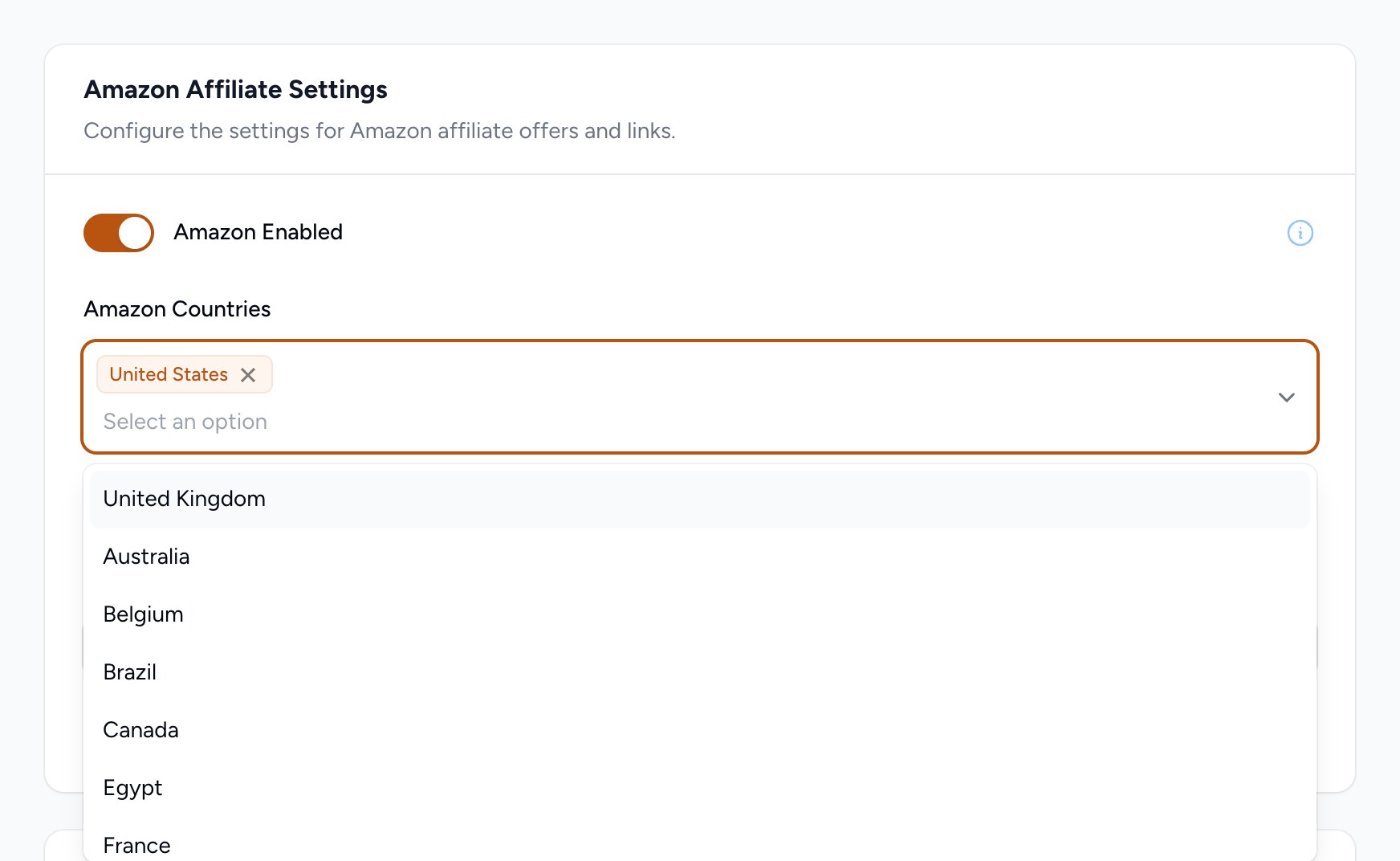
To earn commission in a country, join that country’s Amazon Associates program and add your tracking ID. In your store admin, go to Settings > Amazon, pick your countries under Amazon Countries, and paste the tracking ID for each one. How the Associates accounts and tracking IDs work in each country is in which Amazon countries work in a FreshStore affiliate store.
Next steps
Pick a country, open the Product Finder and add a few products. The full list, with the Amazon store for each country, is in the guide: https://guides.freshstore.com/article/792-which-amazon-countries-does-freshstore-support
Thank you to everyone who asked us for more Amazon countries. Keep the requests coming.